![[CGMZ] Controls Window for RPG Maker MZ](https://img.itch.zone/aW1nLzE0MDM2MTQwLnBuZw==/original/TbK1sG.png)
[CGMZ] Controls Window for RPG Maker MZ
Version Beta R3 Release Notes

Hi all, today this plugin was updated to version Beta R3!
This version adds the option to flash different text in an interval set by you. This can allow you to change your control icon from an unpressed to a pressed version and back again, or even to periodically show different controls if your scene has a lot of controls that do not fit easily into a small controls window. This is of course optional and you do not need to use the flash functionality. See below gif for how it can look:
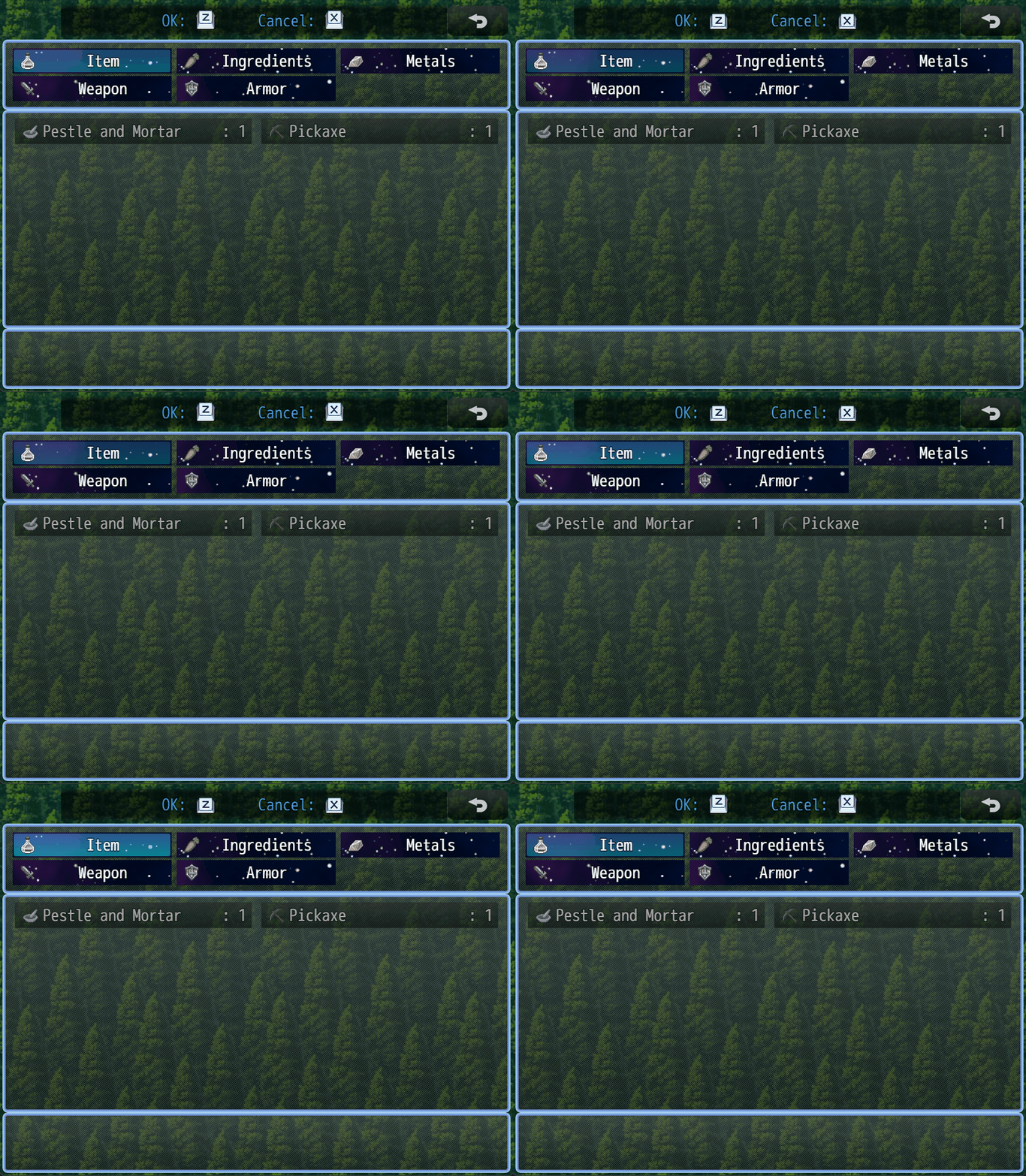
This update also added a debug feature that will report scene constructor names in the dev tools console, so you will not need to look through any JS code to find the scene constructor of the scene you want to add your controls window preset to.
Version Beta R3
- Added flashing text functionality
- Added debug option to report scene constructor name
Comments
Log in with itch.io to leave a comment.
Hi all, I hope you like the update 😁!
If you would like to see how to use this new feature, you can see the new parameters on the wiki: https://caspergaming.miraheze.org/wiki/CGMZ_Controls_Window
Do you have any ideas to keep improving this plugin? Let me know in the comments below. I add all suggestions to my to-do list.