![[CGMZ] Options for RPG Maker MZ](https://img.itch.zone/aW1nLzE5NzM5OTQxLnBuZw==/original/IPcees.png)
[CGMZ] Options for RPG Maker MZ
A downloadable plugin
Hi all, introducing [CGMZ] Options!
This plugin allows you to modify the options scene. You can create options categories, choose which options appear in each category, and add new options for the player.
New Options
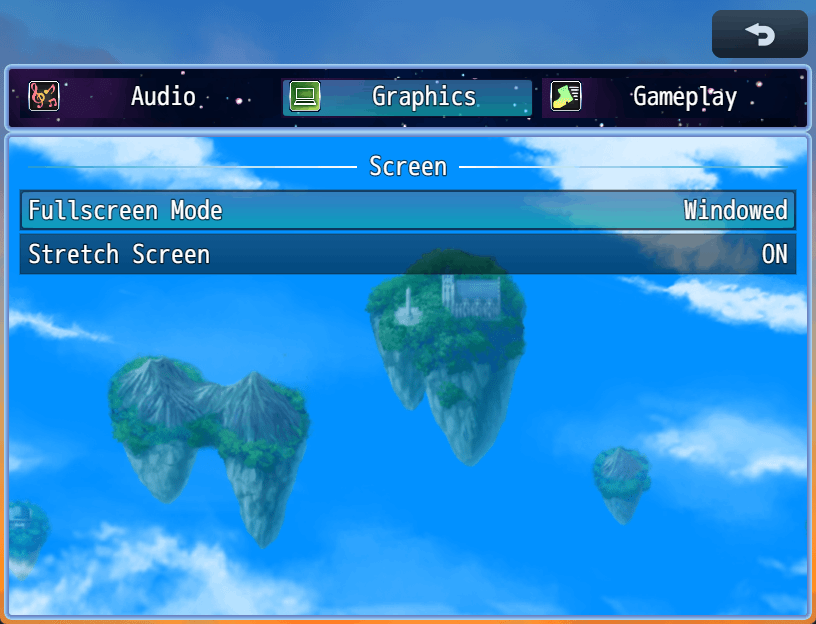
By default RPG Maker only provides a few options. This plugin expands that to include some new ones that are easily set up by typing in a custom symbol. These include full screen, stretch mode, and master volume so far with more planned in future updates.
Of course, you can also create your very own options. Custom options have all the same features as normal number or toggle options, and they can be read by events using plugin command. You can also set them via plugin command. This allows you to make an option and then event any behavior it controls, leading to nearly unlimited potential to create your own custom options.
Categories
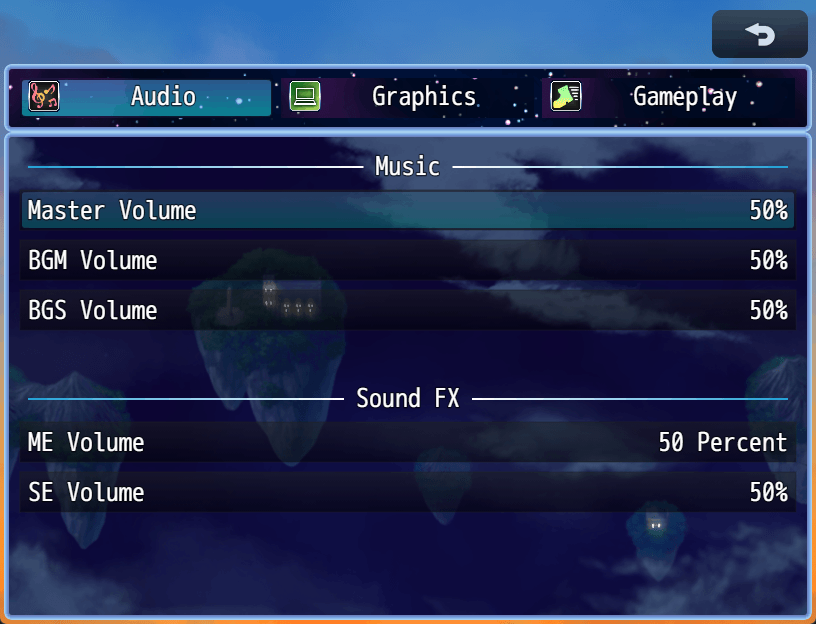
Add categories of options such as Video, Audio, Gameplay, etc. A more modern looking options scene that gamers will be familiar with. Within each category, you can have non-selectable spaces and headers in the options, getting away from the RPG Maker default feel where everything is selectable even if it has no function connected to it. See gif of how it can look:
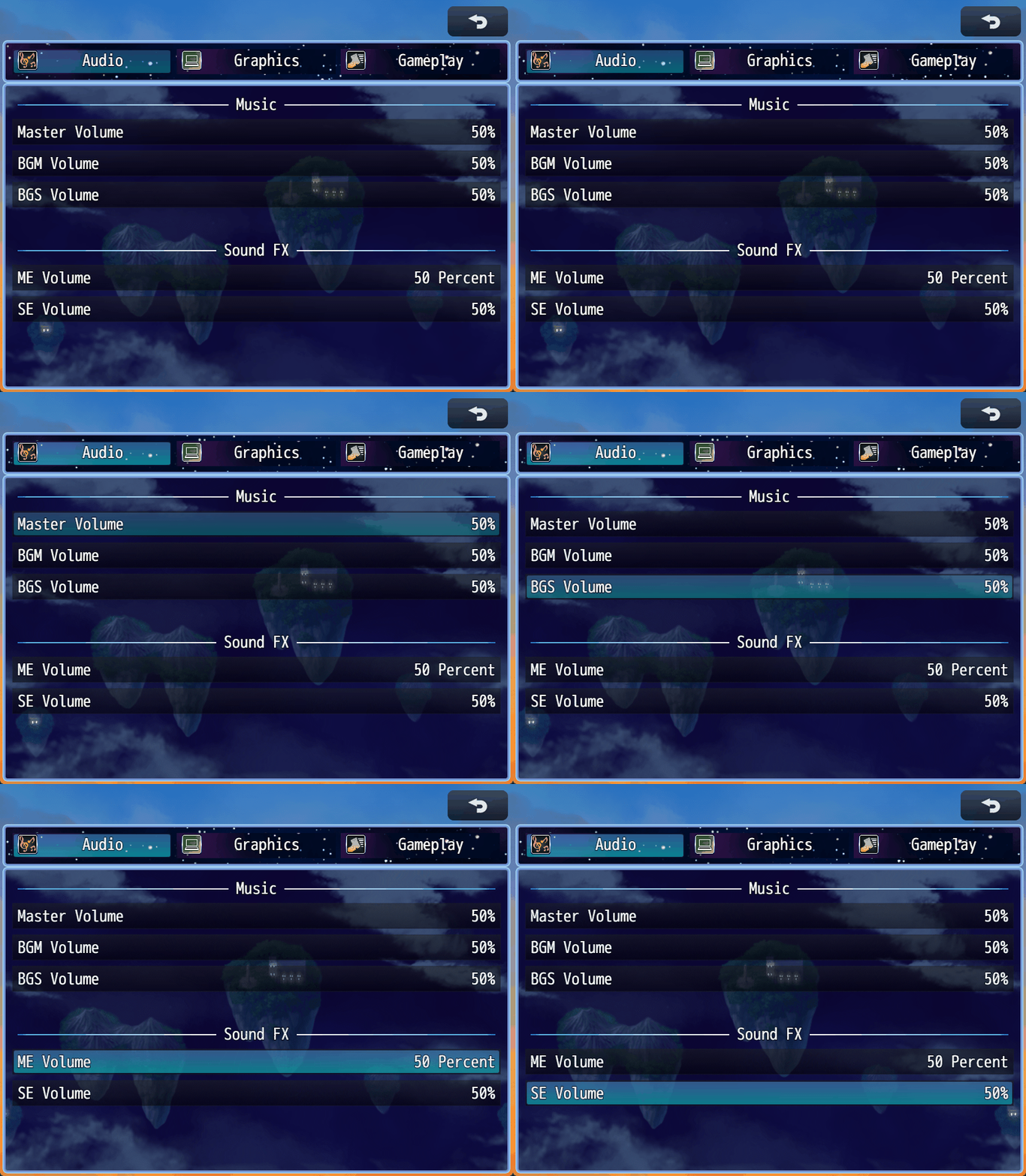
When you only have one category set up, the category window will not be shown and the option window will take up the full screen size.
Default Options
You can keep or remove any of the default options by typing in a specific symbol when setting your options up, each symbol is in the documentation. This controls how the option behaves, but you can still modify the default options text and other appearance settings within the plugin.
Custom Options
This plugin allows you to add as many options as you want, which can include options meant for use in third party plugins as long as you know which symbol they are expecting to be added.
Options can be easily set up to either be toggle or number type, with no coding necessary. These have many customization options available. For true unlimited potential, you can also use a JS option type which allows you to run your own custom JS when the player selects the option or inputs right/left. You can also run JS for the string shown to the player regarding the option's value, and you can run JS for the default value of the option.
Integrations
This plugin has some integrations with other [CGMZ] plugins. More integrations are planned in future updates as well.
[CGMZ] Scene Backgrounds - Add a custom background image, including an image that can scroll or show weather.
[CGMZ] Window Backgrounds - Add a custom background image for your options windows. This can include a scrolling image that activates only when the window is active.
[CGMZ] Window Settings - Control the window style, tone, padding, opacity, windowskin, and more for each window in the plugin with no code required.
[CGMZ] Controls Window - Add a window that shows the player gamepad or keyboard controls, depending on their last input.
Roadmap
Below is a list of things planned to be added via future updates, in no particular order.
- Integrations with other [CGMZ] plugins
- Options that can lead to new scenes (ex: difficulty select scene)
- More easy to use default options
- Additional option types
Do you have any ideas you'd like to see added to the plugin not already listed above? Let me know in the comments or in my Discord's #suggestion channel! I appreciate all suggestions I get and add them all to my to-do list.
PLEASE READ BEFORE PURCHASING:
Please be aware that you can access this as well as all of my other Alpha plugins for $5 on my Patreon: https://www.patreon.com/CasperGamingRPGM
This is posted to Itch.io since some people only use Itch and are not aware my Patreon and all of my beta/alpha plugins exist, or want to have everything in one convenient location (itch.io), or do not want to do a monthly subscription.
Casper Gaming's Beta/Alpha plugins are treated as an "early access" and will eventually be free for everyone once they are fully released, though this process can take months/years. By purchasing in beta/alpha, you are able to provide early feedback/suggestions which are more likely to make it into the final fully released plugin.
Quick Facts
✅ RPG Maker MZ
✅ No obfuscation
✅ All future updates included
✅ No AI used at any point in the creation of this plugin
Support
Casper Gaming provides quick support to any user who needs it. You can leave a comment below with your question or issue, I try to check my itch.io at least once a day. For even quicker support, you can come into the Casper Gaming Discord and ask for help in the #support channel.
Requirements and Terms
This plugin is for RPG Maker MZ only. The code is not obfuscated.
Please see terms of use here: Terms of Use
Requires CGMZ Core plugin: CGMZ Core
Happy RPG Making!

Purchase
In order to download this plugin you must purchase it at or above the minimum price of $5 USD. You will get access to the following files:
Development log
- Version Alpha R4 Release Notes21 days ago
- Version Alpha R3 Release NotesSep 24, 2025
- Version Alpha R2 Release NotesApr 13, 2025

Comments
Log in with itch.io to leave a comment.
Hello, sorry to bother you while you are busy.
I am trying to use this plugin to switch the language displayed in the Options menu, but first of all, the options I set are not being displayed.
Category Setup
↳ Categories
↳ Categories in Options
I have entered the following for the option:
Symbol:
alwaysDashName:
Always DashType:
ToggleHowever, nothing is displayed in the Options scene, so I believe I may be misunderstanding how the setup works.
Additionally, I would like to fit the option commands inside the window frame, but currently the selection bar stretches across the entire screen.
I apologize for the trouble, but I would really appreciate it if you could help me understand what I am doing wrong.
Hi, you need to add the option to the category Display Info parameter, the Display Info controls what order things are displayed in.
I am not sure what you mean by you want the option commands inside the window frame? Do you have a screenshot of the issue?
const lang = ConfigManager.gameLanguage || "ja"; const on = ConfigManager.alwaysDash === true; const label = (lang === "ja") ? "常時ダッシュ" : "Always Dash"; const state = on ? "ON" : "OFF"; return `${label} : ${state}`;Yes for the default options, their name comes from the Database -> Terms tab. You can change the default names there.
I see the width issue, I will fix it in the next update. I can add a height modifier too, as I think currently you would not be able to make it fit in the custom frame area in your screenshot without being able to adjust the height too.
Thank you very much for your support.
Is it correct that default options (like alwaysDash) cannot have their names localized, and that the intended way is to recreate them as JS Options for language switching?
The default options should be able to have their name localized, although I guess it depends on how the localization plugin you use works. They come from the database because I try to preserve any default behavior I can, as this usually helps with compatibility. I guess I can add a toggle option in a future update to make it so [CGMZ] Options takes over the name from the database as well, it was actually extra work I did to preserve the default code for the default options 😅
I have seen most localization plugins use a text code which gets substituted out depending on language, my [CGMZ] Options plugin should support text codes so I think there would not be any problems there. If anything you could use [CGMZ] Text Codes Everywhere to get text codes working anywhere they do not already work if needed.
The other approach I have seen localization plugins use is that they scan for the base language and then substitute that out. For example if it sees the string "Always Dash" it would substitute that out for a different one depending on language. This should also work, but this approach can be far more fragile due to white space and other string substitution (such as colors, etc) depending on when the localization plugin scans the string to swap it out causing it to have difficulty matching text.
I have not seen any translation plugin that makes you manually write the if language x then string y approach... usually the plugin does that automatically as most text areas do not allow you to write js. If it requires that then yes it would not work with the default option names here since they come from the database and you can't write custom js there. I would think it would also not work with the default options scene either in that case, so I wonder if maybe you are missing something with how your localization plugin works?
Can the volume be set by increments of 5% instead of the usual 20%? Someone playtested my game and said that even increments of 10% would be too much.
Yes you can make any increments you want, set the "Number Change" parameter to be 5 and it will change by 5 each time.
This is a gamedev dream come true.
See ya, VisuStella.